
Dropbox helped define cloud storage — but it wasn’t built for modern creative workflows.
Today, teams need more than file storage. They need a system to organize, search, collaborate, and actually use content.
What to look for in a Dropbox alternative
If you're managing creative assets, not all storage tools are built the same. Here’s what actually matters:
- Visual organization — browse assets, not folders
- AI search — find files by content, not just names
- Collaboration — comment, review, and iterate in one place
- Flexible sharing — send work externally without friction
- Support for large files — RAWs, PSDs, videos
- Scalable storage — built for growing content libraries
👉 Traditional tools like Dropbox weren’t designed for this — modern DAM platforms are.
Playbook vs. Dropbox
A creative workflow platform — not just cloud storage
| Playbook | Dropbox | |
|---|---|---|
| Core positioning | Creative workflow platform for managing, organizing, and sharing visual work | General-purpose cloud storage |
| Best for | Creative teams, marketing teams, agencies | File storage and document sharing |
| Search & AI | AI tagging, OCR, visual search, conversational search | Basic search, relies on file names and folders |
| Organization | Visual boards + AI organization + custom structure | Folder and subfolder hierarchy |
| Automation | Board rules to auto-tag and organize uploads | Manual organization required |
| Visual browsing | Image-first, drag-and-drop interface | List-based file explorer |
| Collaboration & review | Comments, versioning, asset comparison, video review | Basic comments and file sharing |
| Sharing & presentation | Branded pages, templates, client galleries | Basic share links |
| Storage | Starts at 5TB for teams | Starts at 5TB for teams |
Why Teams Choose Playbook
Dropbox organizes files in folders. Playbook is built for visual media and designed for how creatives think — visually, not hierarchically. Instead of clicking through layers of folders, you scan your entire library at a glance.
- Image-first interface with large, rich previews
- Browse videos, PDFs, and even Adobe files visually
- Instantly recognize assets without relying on file names
- Drag, group, and organize content directly on the canvas
Whether it's a product photoshoot, campaign assets, or design files, everything is visible — not buried.
"In Dropbox, you have to dig through a mountain of folders… With Playbook, everything is right in front of you." — Jennifer Kathryn King, Creative Director
Dropbox search relies heavily on file names, folder structure, and your own memory of where a file is. Playbook uses AI to automatically tag assets on upload, so you can search by what's in the content and its situational context.
Instead of guessing file names, you can search conversationally: "show me all gold jewelry" or "videos from july product shoot"
Dropbox lets you share files. Playbook lets you work on them together:
- Comment directly on assets
- Leave feedback and tag collaborators
- Review videos with timestamps
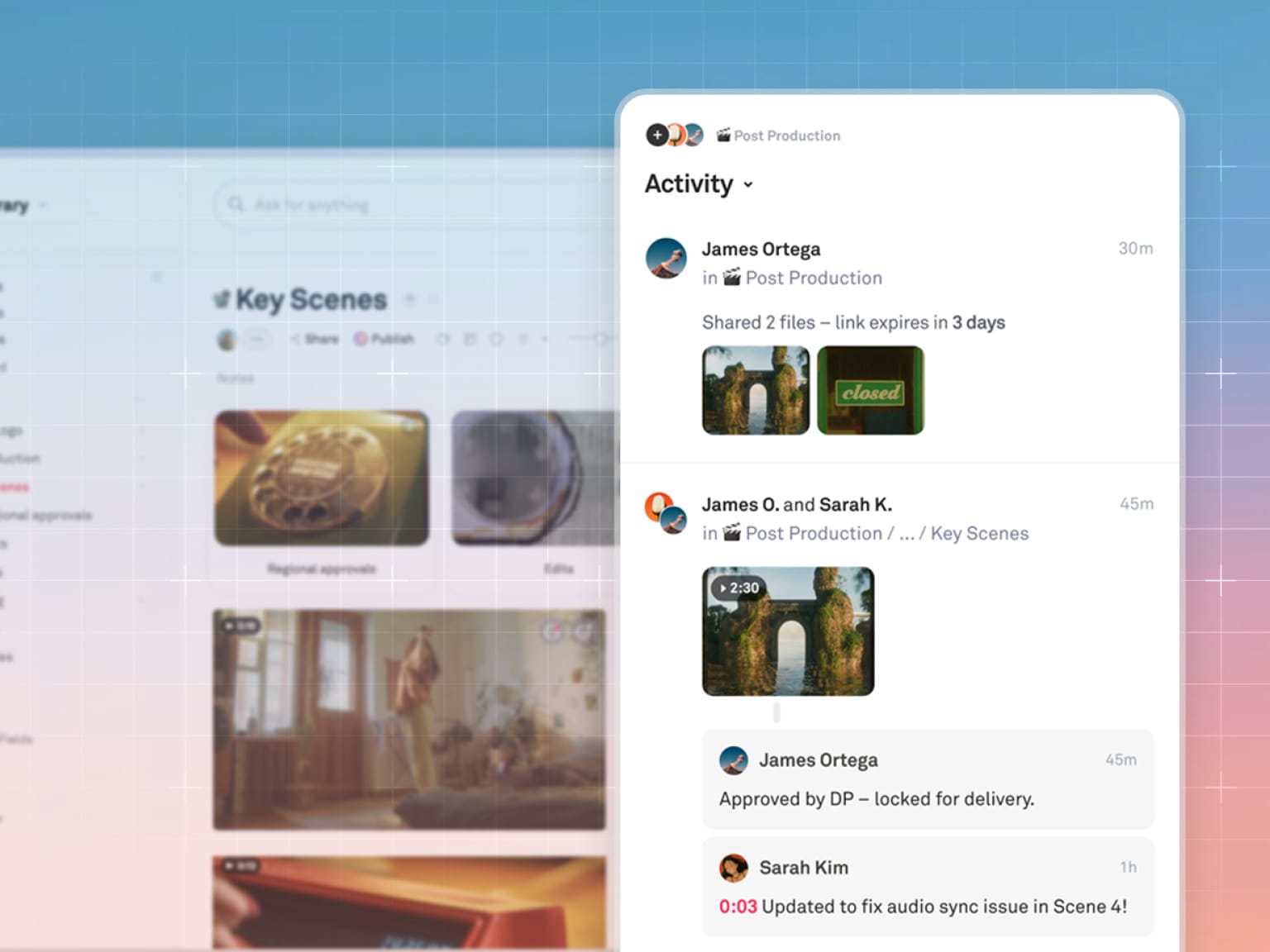
- React and iterate in context
No more sending links back and forth — everything happens in one place.
Dropbox sharing = a link to files. Playbook sharing = presentation-ready output:
- Show your polished work in customizable layouts
- Reference and duplicate from hundreds of Playbook community templates
- Create client galleries, brand guidelines, and portfolios in just a few clicks
- Controlled access and permissions
👉 Your work isn't just delivered — it's presented.
"With one click… publish to web, and there's all your fancy stuff ready to go." — Sheila Streetman, Graphic Designer
Dropbox is designed to store and share files. Playbook is built to support the entire lifecycle of creative work:
- Version comparison to track iterations and changes
- Board rules to automatically organize and structure new uploads
- Video scrubbing and previewing directly in-platform
- Frame-level search and insights across video content
- Batch actions and workflow automation powered by AI
- API and SDK available to connect Playbook to your broader tool stack
Instead of stitching together multiple tools, Playbook gives your team a system for managing, refining, and shipping creative work.
Invictus Media, a visual production agency, switched completely from Dropbox to Playbook after just 30 days.
"I now invite my clients directly into a Playbook board. With Dropbox, we had to go down one rabbit hole after another. One folder opened another folder, and if what we wanted was not in this folder, I had to back out and go into another folder. I love that Playbook is very open and transparent, and people can quickly find what they're looking for." — JenniferKathryn King, CEO, Invictus Media
Wilderdog also made the switch, streamlining how their team manages and shares creative assets across campaigns.
Why Dropbox falls short for creative work
Dropbox is a file sync tool that treats every file the same way, which is exactly the problem for teams whose files are images, video, and layered design work. It moves bytes reliably. It just has no idea what is inside them, so the work of finding, sorting, and reusing an asset stays entirely manual.
That gap shows up in three places.
It was built for documents, not creative files
A folder tree assumes you remember where you put something. Creative libraries do not work that way. A campaign shoot produces hundreds of near-identical frames, a dozen crops of the same hero image, and three rounds of edits that all look alike in a list view. Naming conventions hold for about a quarter, then quietly collapse.
Playbook indexes what is actually in the frame. You can ask for *"all assets featuring models"* or *"every file tagged #socialReady"* and get results based on the visual content, not on whether someone typed the right filename nine months ago.
Browsing is a filename problem, not a visual one
Dropbox previews files. It does not let you browse a library the way a creative team actually thinks, which is by looking. Teams end up rebuilding a visual index somewhere else, usually a shared deck or a Pinterest board, which immediately drifts out of sync with the real files.
Invictus Media, a seven-person visual production house in Des Moines, was paying for 5TB of Dropbox storage before the switch. They now run a library of more than 33,000 assets where the browsing surface is the library itself. For a team where roughly 90% of the work involves video, that difference compounds daily.
Nothing happens to the asset after the handoff
This is the one that costs the most and gets noticed the least. In Dropbox, a delivered file is a dead end. It sits in the folder it was delivered from, and the next person who needs it starts their search from zero.
Ask a harder question of any tool you are evaluating: who does the filing, and where does the asset live once the project ends? A visual home for creative work answers both. A sync folder answers neither.
Dorst & Lesser, a 75-person social agency in Amsterdam, moves roughly 400 assets a week across 40 clients and 30 influencers. Co-Founder Robert Withagen puts the requirement plainly: "Speed is very important because we are in the social business." At that volume, a library that files itself is not a convenience. It is the only thing that keeps the work findable.
Ready to see the difference on your own library? Schedule a demo and bring a folder you have given up on.
Final takeaway
Most teams didn’t choose Dropbox for creative work — they just ended up there. But as content libraries grow, so do the limitations: you get countless folders, hours spent searching for the right file, and time wasted on manual logging or tagging.
Playbook replaces that with a system designed for how creative teams actually operate.
👉 Less time managing files. More time creating.
Frequently asked questions
What is the best Dropbox alternative for creative teams?
Playbook is the best Dropbox alternative for creative teams. It offers visual asset organization, AI-powered search and auto-tagging, review and approval workflows, and branded client delivery galleries — purpose-built for teams managing photos, videos, and design files.
How is Playbook different from Dropbox?
Dropbox is a general-purpose file sync tool. Playbook is a creative asset management platform; it displays files visually, uses AI to tag and search assets, supports structured creative review and approval, and lets teams publish client-facing delivery portals directly from storage.
How much does Playbook cost compared to Dropbox?
Playbook's Pro plan is $18/month per member, or $120/year, and includes unlimited assets. The Team plan is $25/month per member (or $240/year, which works out to $20/month) and adds AI features including Playbook Intelligence, conversational search, and AI tagging — making enterprise-grade DAM accessible to smaller teams. See full pricing at playbook.com/pricing.
Can I import files from Dropbox into Playbook?
Yes. Playbook supports direct import from Dropbox, Google Drive, and OneDrive.