
Playbook is a media library and digital asset manager you can drive entirely over an API — and now, with a hosted MCP server, your AI assistants can drive it too. Host, search, organize, and publish visual files from inside your own product, or just describe what you want to Claude and let it build.
The API: your media stack as endpoints
Everything Playbook does, you can do over a REST API scoped to your workspace:
- Host and deliver — upload files (or hand Playbook a URL to fetch) and serve them from a fast global CDN, with automatic thumbnails, previews, and color analysis.
- Search — keyword search by filename and tags, or AI search that understands what's in an asset ("ocean at dusk," "product on white").
- Organize — boards, tags, and custom fields give every asset structured metadata; set approval status to gate what's cleared for use.
- Publish — turn any board into a public, shareable web page, or render your own UI from the board's assets.
Don't want to build the UI? The playbook-sdk embeds a full media-library component — galleries, uploads, tagging, search — into your product in a few lines.
The MCP server: hand your workspace to an AI agent
The same API is exposed as a hosted MCP (Model Context Protocol) server, so AI assistants — Claude, Cursor, ChatGPT, and any MCP-aware client — can work in your Playbook workspace using natural language. No SDK to wire up, no tool wrappers to write.
Connecting takes one step and no token to paste: point your client at https://mcp.playbook.com, approve the browser sign-in once, and you're in. From there an agent can search and tag assets, upload from URLs, organize boards, set custom fields and approvals, and publish public pages — the same operations you'd make over HTTP.
That parity is the point: anything an MCP-connected agent can do, you can also do directly via the REST API, and vice versa. Build it in code, or just ask your assistant to build it for you.
What people build with it
The API and MCP server power the same building blocks behind Playbook, so the range is wide:
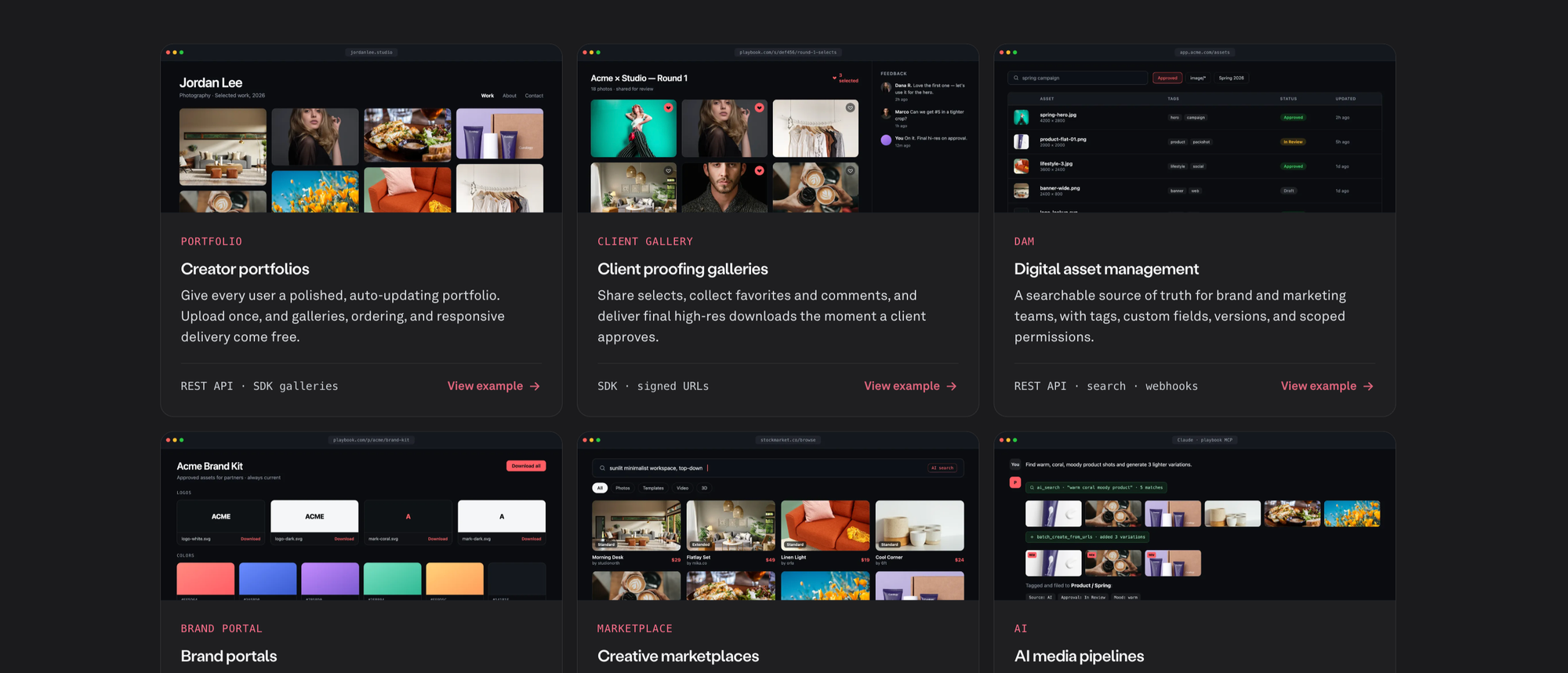
- Portfolios and client galleries — publish work as a public gallery, collect feedback, deliver approved finals.
- Digital asset managers — custom fields, tagging, and search across a whole library, kept in sync with webhooks.
- Brand portals and marketplaces — approved assets partners can browse and download, or seller uploads with AI-powered discovery.
Where it really earns its keep is complex creative pipelines. Game studios manage 3D models, characters, environments, textures, and launch marketing — thousands of versioned files kept searchable and review-ready. Film and TV teams wrangle footage, dailies, VFX shots, trailers, and press screeners — heavy media and long review chains, organized and deliverable over the API. These are the workflows most asset tools choke on.
Get started in two commands
Connect Claude to Playbook, then tell it what to build:
/plugin marketplace add playbook-labs/claude-plugins
/plugin install playbook@playbook-plugins
Run /mcp, choose playbook, and approve the browser sign-in. Then try a prompt:
“Using Playbook, create a board for my product shots, add these images, tag them by category, and publish it as a gallery I can share.”
Prefer to build in code? Grab a token in the Playbook app and call the REST API directly — the developer docs, the MCP guide, and worked examples walk through both paths. Everything on the docs site is also available as clean Markdown — append .md to any page.
Tell us what you're building! And email us for any startup support: support@playbook.com.