Dropbox helped define cloud storage — but it wasn’t built for modern creative workflows.
Today, teams need more than file storage. They need a system to organize, search, collaborate, and actually use content.
What to look for in a Dropbox alternative
If you're managing creative assets, not all storage tools are built the same. Here’s what actually matters:
- Visual organization — browse assets, not folders
- AI search — find files by content, not just names
- Collaboration — comment, review, and iterate in one place
- Flexible sharing — send work externally without friction
- Support for large files — RAWs, PSDs, videos
- Scalable storage — built for growing content libraries
👉 Traditional tools like Dropbox weren’t designed for this — modern DAM platforms are.
Playbook vs. Dropbox
A creative workflow platform — not just cloud storage
| Playbook | Dropbox | |
|---|---|---|
| Core positioning | Creative workflow platform for managing, organizing, and sharing visual work | General-purpose cloud storage |
| Best for | ✅ Creative teams, marketing teams, agencies | ⚠️ File storage and document sharing |
| Search & AI | ✅ AI tagging, OCR, visual search, conversational search | ⚠️ Basic search, relies on file names and folders |
| Organization | ✅ Visual boards + AI organization + custom structure | ❌ Folder and subfolder hierarchy |
| Automation | ✅ Board rules to auto-tag and organize uploads | ❌ Manual organization required |
| Visual browsing | ✅ Image-first, drag-and-drop interface | ❌ List-based file explorer |
| Collaboration & review | ✅ Comments, versioning, asset comparison, video review | ⚠️ Basic comments and file sharing |
| Sharing & presentation | ✅ Branded pages, templates, client galleries | ⚠️ Basic share links |
| Storage | ✅ Starts at 5TB for teams | ✅ Starts at 5TB for teams |
Why Teams Choose Playbook
1. See your work — don’t dig for it
Dropbox organizes files in folders.
Playbook is built for visual media and designed for how creatives think — visually, not hierarchically. So instead of clicking through layers of folders, you can scan your entire library at a glance.
- Image-first interface with large, rich previews
- Browse videos, PDFs, and even Adobe files visually
- Instantly recognize assets without relying on file names
- Drag, group, and organize content directly on the canvas
👉 Whether it’s a product photoshoot, campaign assets, or design files, everything is visible, not buried.
“In Dropbox, you have to dig through a mountain of folders… With Playbook, everything is right in front of you.”
- Jennifer Kathryn King (Creative Director)
2. Find files faster — even if you don’t know the name
Dropbox search relies heavily on file names, folder structure, and your own memory of where a file is! That defeats the purpose of search.
Playbook uses AI to automatically tag assets to enrich your files on upload which allows you to later on search by what's in the content and situational context.
👉 So instead of guessing file names, you can search conversationally things like:
“show me all gold jewelry” or “videos from july product shoot”
3. Actually collaborate on creative work
Dropbox lets you share files. Playbook lets you work on them together:
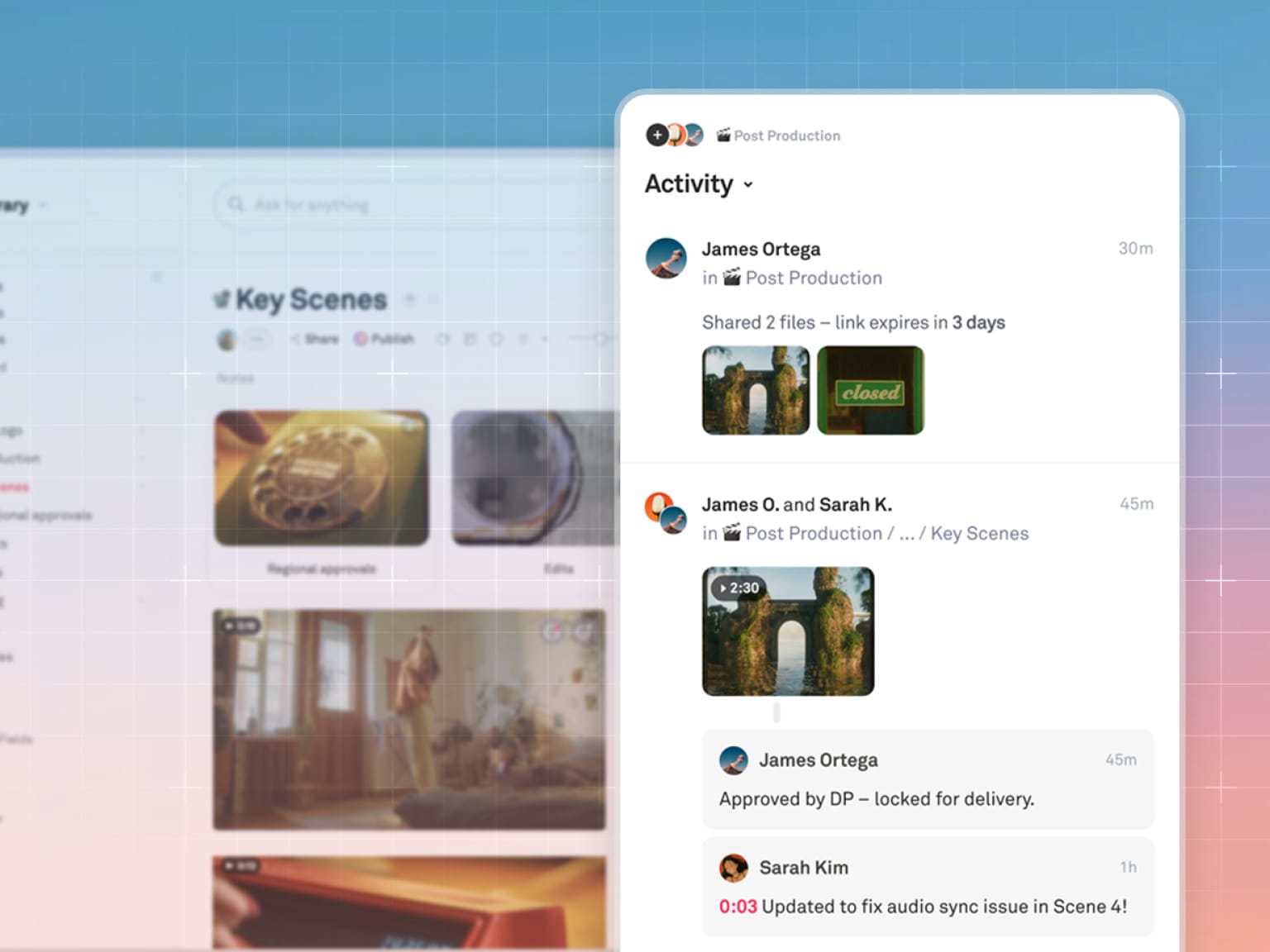
- Comment directly on assets
- Leave feedback and tag collaborators
- Review videos with timestamps
- React and iterate in context
👉 No more sending links back and forth — everything happens in one place.
4. Share work the way it’s meant to be seen
Dropbox sharing = a link to files. Playbook sharing = presentation-ready output:
- Show your polished work in customizable layouts
- Reference and duplicate from hundreds of Playbook community templates
- Create client galleries, branded pages, and portfolios in just a few clicks
- Controlled access and permissions
👉 Your work isn’t just delivered — it’s presented.
“With one click… publish to web, and there’s all your fancy stuff ready to go.”
— Sheila Streetman, Graphic Designer
5. Built for advanced creative workflows — not just storage
Dropbox is designed to store and share files.
Playbook is built to support the entire lifecycle of creative work:
- Version comparison to track iterations and changes
- Board rules to automatically organize and structure new uploads
- Video scrubbing and previewing directly in-platform
- Frame-level search and insights across video content
- Batch actions and workflow automation powered by AI
👉 Instead of stitching together multiple tools, Playbook gives your team a system for managing, refining, and shipping creative work.
Final takeaway
Most teams didn’t choose Dropbox for creative work — they just ended up there. But as content libraries grow, so do the limitations: you get countless folders, hours spent searching for the right file, and time wasted on manual logging or tagging.
Playbook replaces that with a system designed for how creative teams actually operate.
👉 Less time managing files. More time creating.