
TL;DR: A presentation deck API lets you build a pitch deck or client gallery whose slides are pulled live from your media library, so the deck never ships stale screenshots. With Playbook, you create a folder, batch-load rendered slides straight from their URLs, then share or publish it as a full-screen, link-shareable deck. Reorder the folder and the deck reorders itself. Embed it as a live carousel or gallery and it updates in place. You get folders, one-call publishing, live embeds, permanent CDN URLs, and threaded per-slide feedback. Build the deck once. Let the source folder keep it current.
Want to see a deck rebuild itself from a folder? Schedule a demo.
The stalest thing in your deck is the screenshot you pasted last week
Every exported deck is a fork of the truth. The moment you drop a screenshot into a slide, it stops tracking the asset it came from. The product ships a new hero shot, the brand color shifts, the campaign gets a fresh cut, and your deck keeps showing last month's version until someone notices in the room. A presentation deck API fixes the root cause. Instead of copying pixels into slides, you point slides at the media library and let them resolve live.
Folders are your slides. Publish is your deploy.
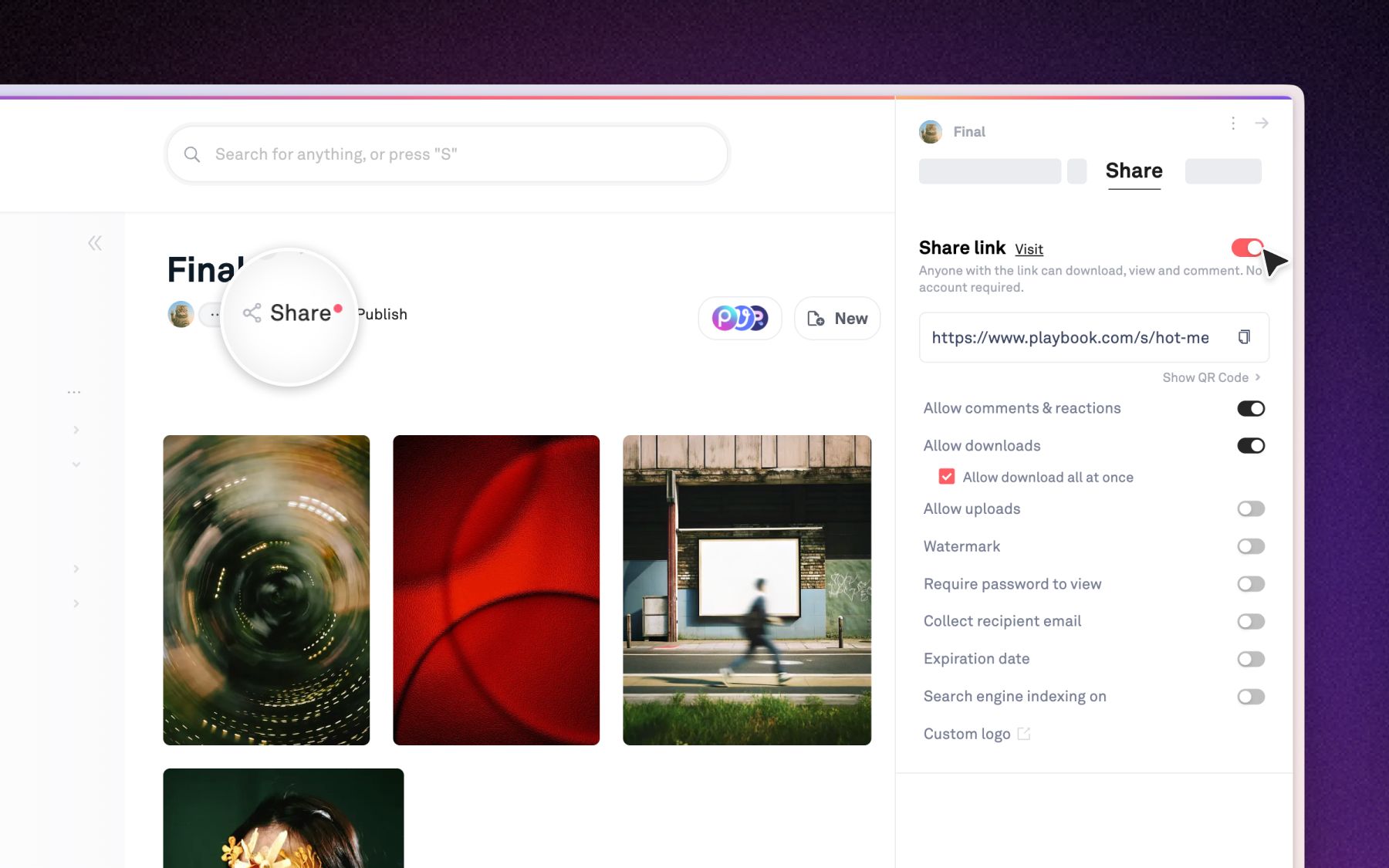
With Playbook, a folder is the deck and publishing it is the deploy. You create a folder, batch-load your rendered slides from their URLs in one call, and each asset becomes a slide in the order you set. Share the folder for a full-screen, clickable deck behind a link, or publish it fully public for a wider audience. Reorder assets on the folder and the deck reflects the new order with no re-export. The source folder is the single source of truth, so editing it is how you update the deck. The full walkthrough, with request and response bodies, lives in the presentation deck example in the Playbook API docs.
Embed it live, and let it update itself
Drop the deck onto any site as a live embed and it stays in sync with its folder. Playbook renders a folder as a carousel or gallery iframe that refreshes its own content, so a landing page or sales microsite always shows the current cut without a re-embed. For assets you want to hotlink directly, mint a permanent CDN URL per file and request a resized rendition on the fly. Same folder, three surfaces: the shared deck, the live embed, and raw CDN links, all reading from one place. See what a published, branded surface looks like on the Playbook product page.
Feedback comes back on the slide, not in an email thread
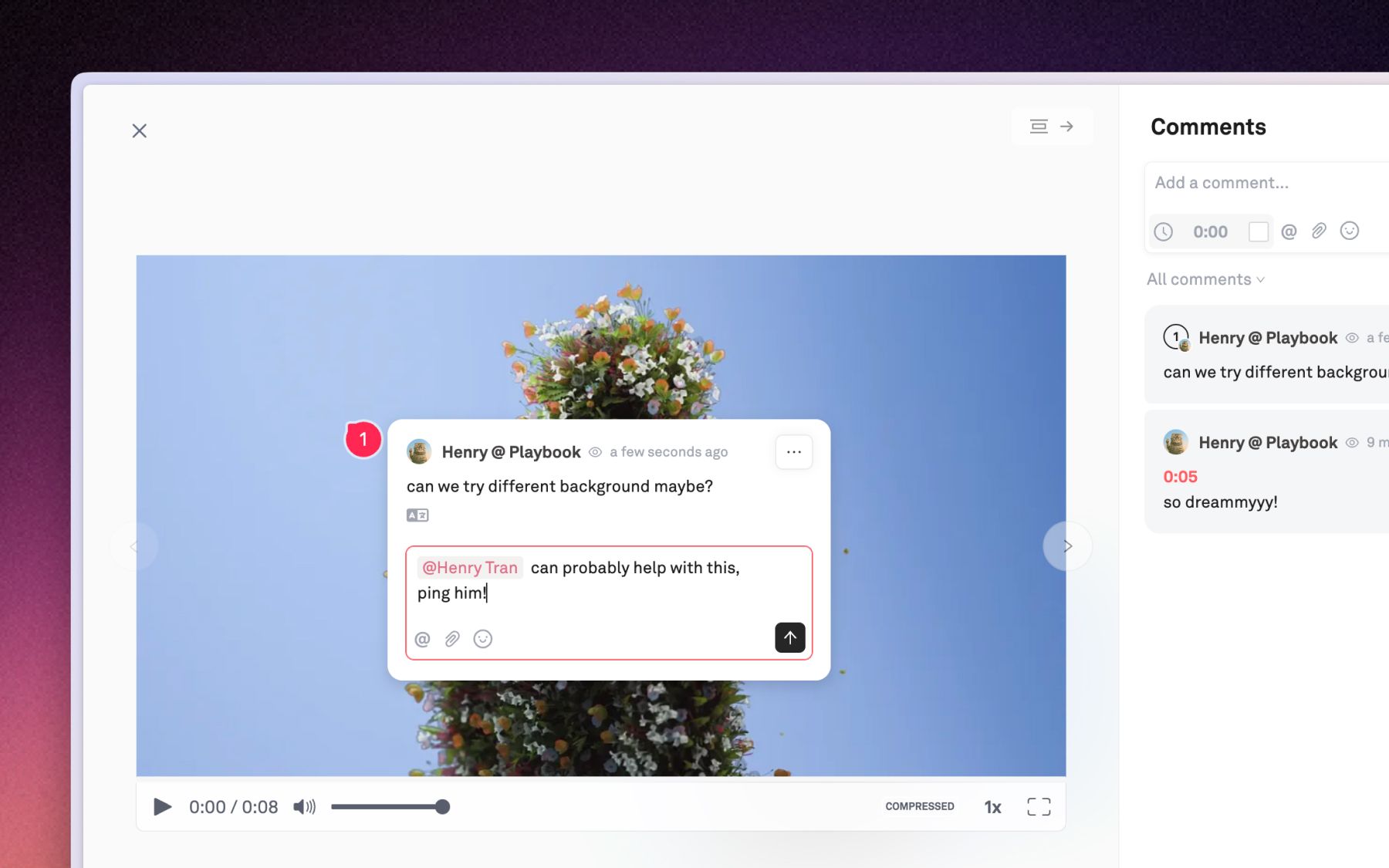
Because each slide is a real asset, feedback lands on the asset itself. Stakeholders comment inline on the exact slide, and you pull those threads back through the API to route them into your workflow. No guessing which version someone was looking at. The deck they reviewed and the folder you edit are the same object.
What powers it
- Create the deck container:
POST /v1/{org}/boards - Load rendered slides from their URLs:
POST /v1/{org}/assets/batch_create_from_urls - Share a full-screen, link-shareable deck:
POST /v1/{org}/boards/{board}/share - Publish the deck fully public:
POST /v1/{org}/boards/{board}/publish - Pull per-slide feedback:
GET /v1/{org}/assets/{asset}/comments - Keep it live everywhere: carousel or gallery embeds plus permanent CDN URLs, all in sync with the folder
In the REST API: folders = boards.
Auth is OAuth2 bearer tokens with scoped read/write access. Prefer to drive it from an agent? Point an MCP client like Claude or Cursor at the workspace and let it assemble the deck from a prompt. SDK reference lives on the Playbook SDK page.
FAQ
What is a presentation deck API?
A presentation deck API is an interface for assembling a slide deck from data instead of static files. Playbook's REST API exposes folders, assets, sharing, publishing, and per-slide comments, so you build a deck from your media library and let the source folder keep every slide current.
How does the deck stay up to date?
Every surface reads from the same folder. Reorder, add, or swap a slide on the folder and the shared deck, the live embed, and any CDN link update with it. There is no second copy to sync and no re-export step between an edit and a live deck.
Can I embed the deck in my own site?
Yes. Embed the folder as a live carousel or gallery iframe that refreshes with its source, or hotlink individual slides through permanent CDN URLs with on-the-fly resizing. Downloads stay off in embeds by design.
Which plan includes API access?
REST API access is available on Playbook's paid plans. At the time of writing, API call quotas begin on Pro and SDK access is listed on Business and up, so check the current pricing page before you build.
Ready to ship a deck that never goes stale? Schedule a demo and see the Playbook presentation deck API in action.