
Share your first link
Send your work to anyone in seconds with a simple, live-update link that doesn't require visitors to login or "request access"
In Playbook, sharing is built for speed. You can grab a link for a single files or a whole board and send it off instantly. Anyone with the link gets a clean, visual preview and they can download or comment without ever having to create an account.
How to share an entire board
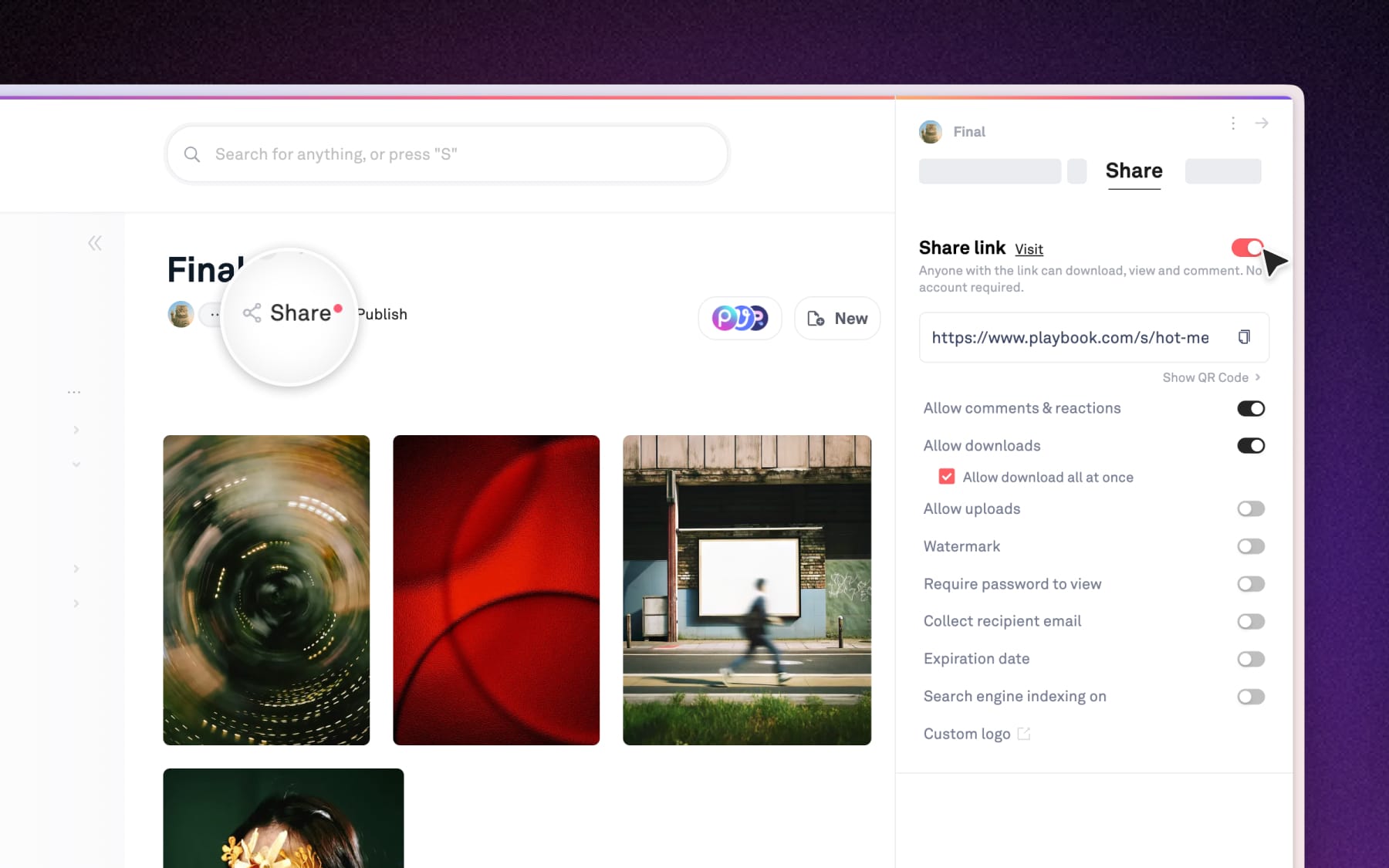
To share a whole board, click the Share button at the top of the board, toggle on the shared link. Copy the link and send it. The recipient will see the entire board exactly as you've organized.
Step 1: Choose what to share
Open the board you want to share. At the top, click the Share button to open the right side Share menu.
Step 2: Copy and send
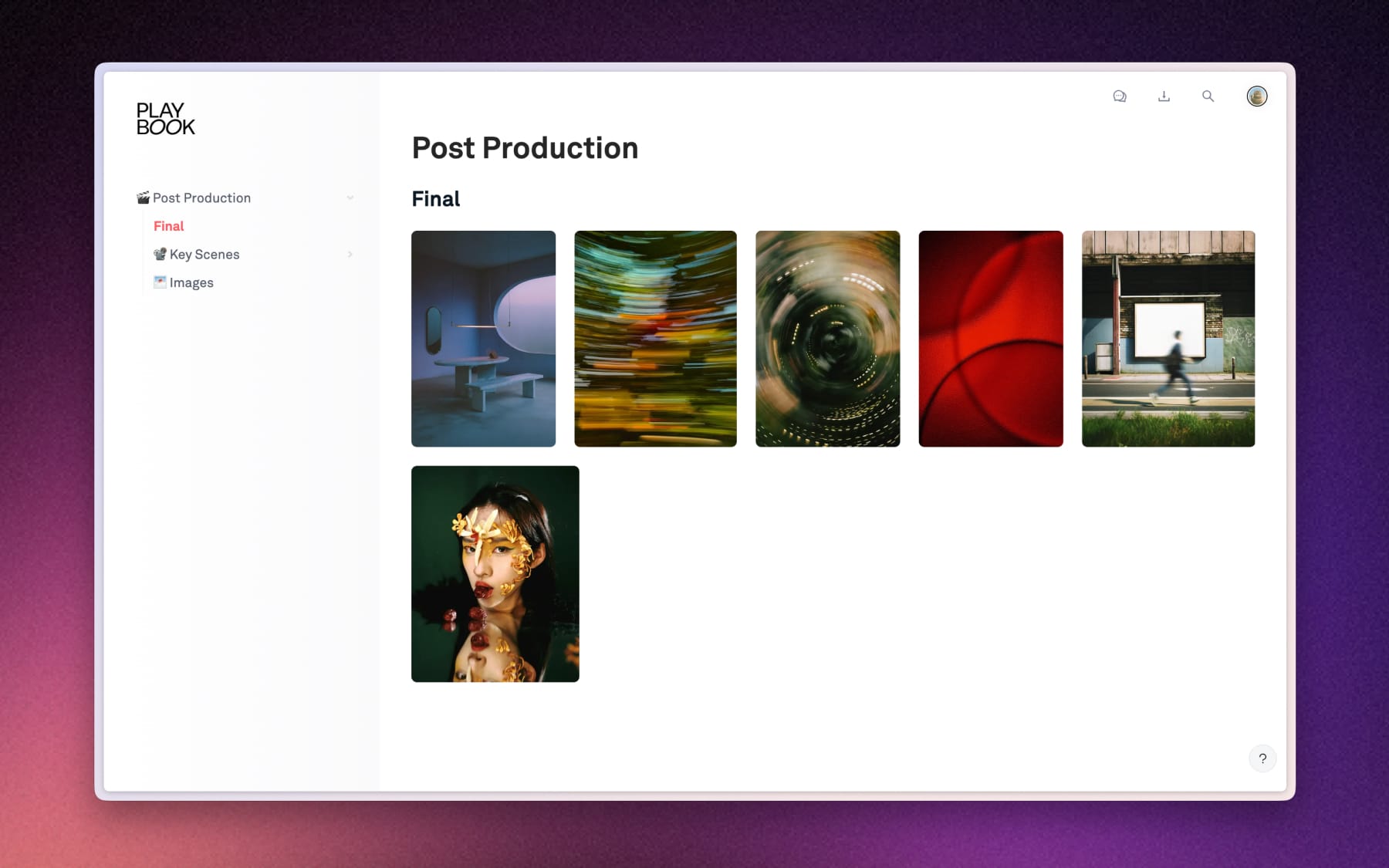
Simple toggle on the Shared link or click Copy web link. Here's an example of how your public shared board look:
How to share individual assets
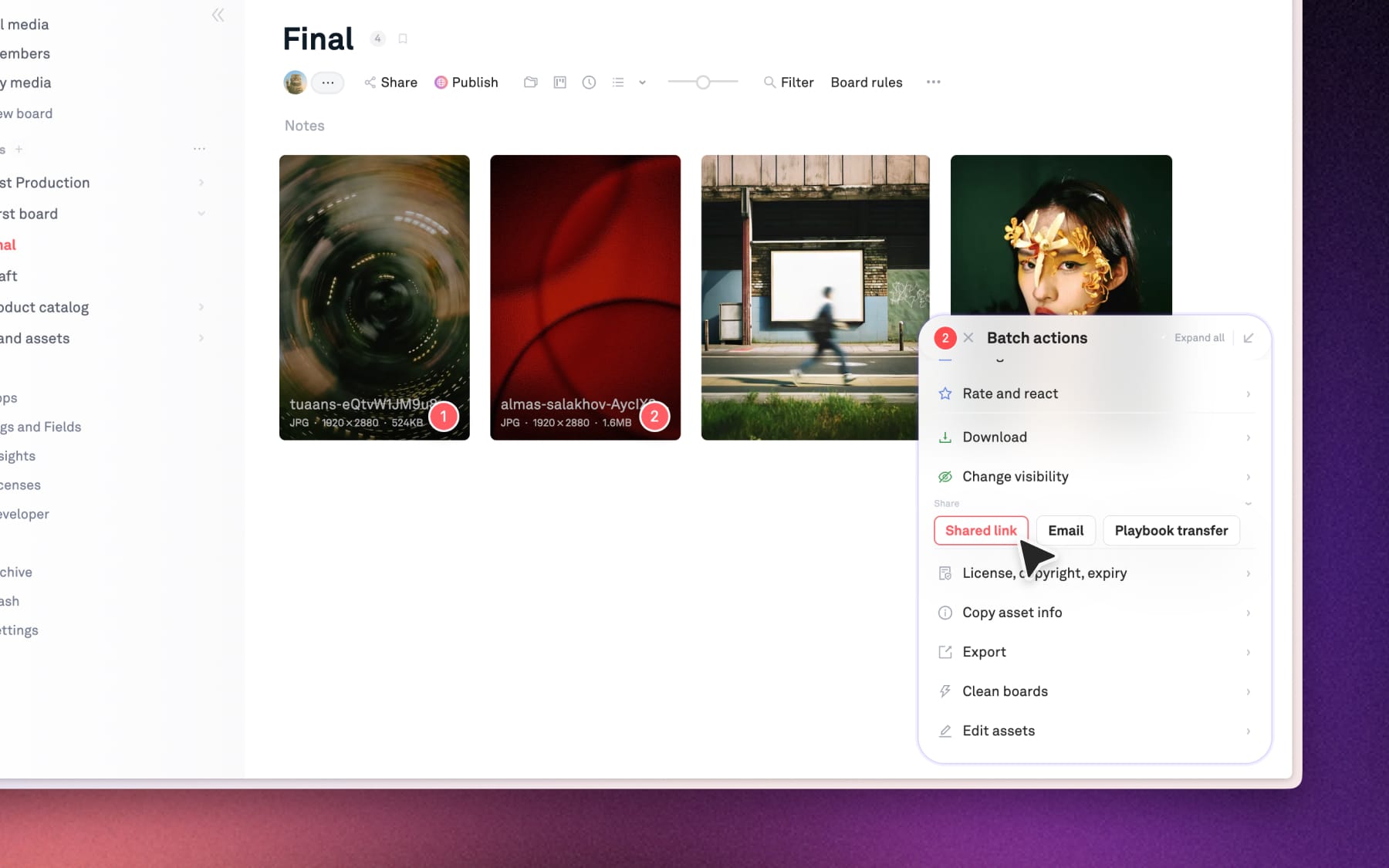
To share only specific assets across any board within your workspace, select the assets you want and click Shared link in the Batch action at the bottom right of your screen. This creates a link for only those selected files, regardless of what else is on the board.
Step 1: Select your assets
Click the checkmark on the assets you want to share, or drag your mouse to select multiple files at once.
Step 2: Enable share link
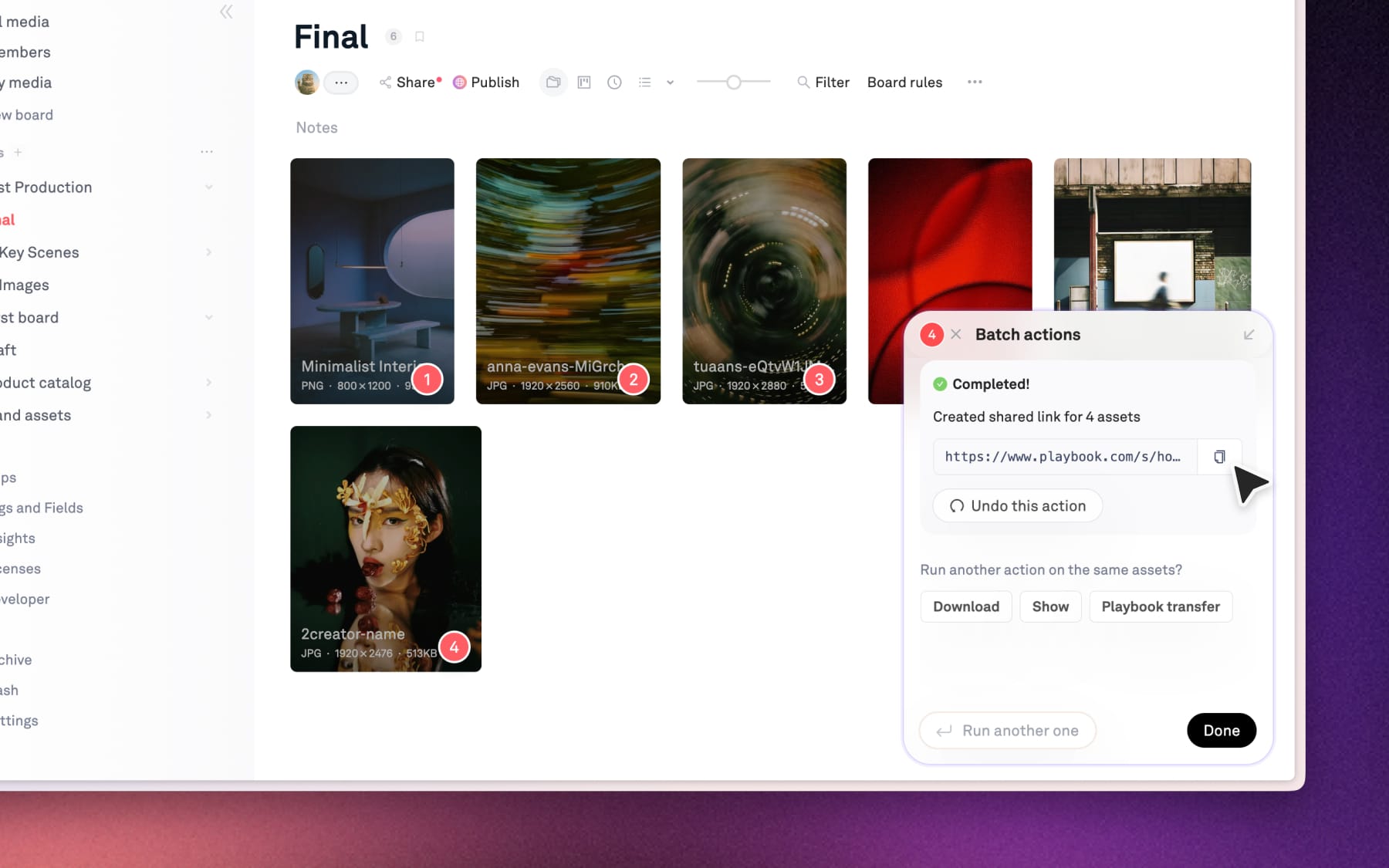
Once assets are selected, select Shared link in Batch action in the bottom right of your screen. Copy it and you're good to go!
Looking for more customization?
If you want to choose templates, add your own custom logos, change fonts, or turn your board into a stunning gallery, you'll want to use Publish.