
API & MCP
Build custom workflows and connect your own agents to Playbook using our REST API and Model Context Protocol (MCP) support
For teams that want deeper, more tailored control over their Playbook workspace, Playbook offers a REST API and MCP integration, so developers and power users can automate workflows, query assets programmatically, and wire up AI agents directly to their storage.
How to get started: open the Developer tab in the left sidebar of your workspace and create an API token. API access is included on Free, Pro, Team, Business and Enterprise, so you do not need to upgrade to try it. The Artist & Designer plan does not include it. On Free a token expires after 30 days and you create a new one; on paid plans tokens do not expire.
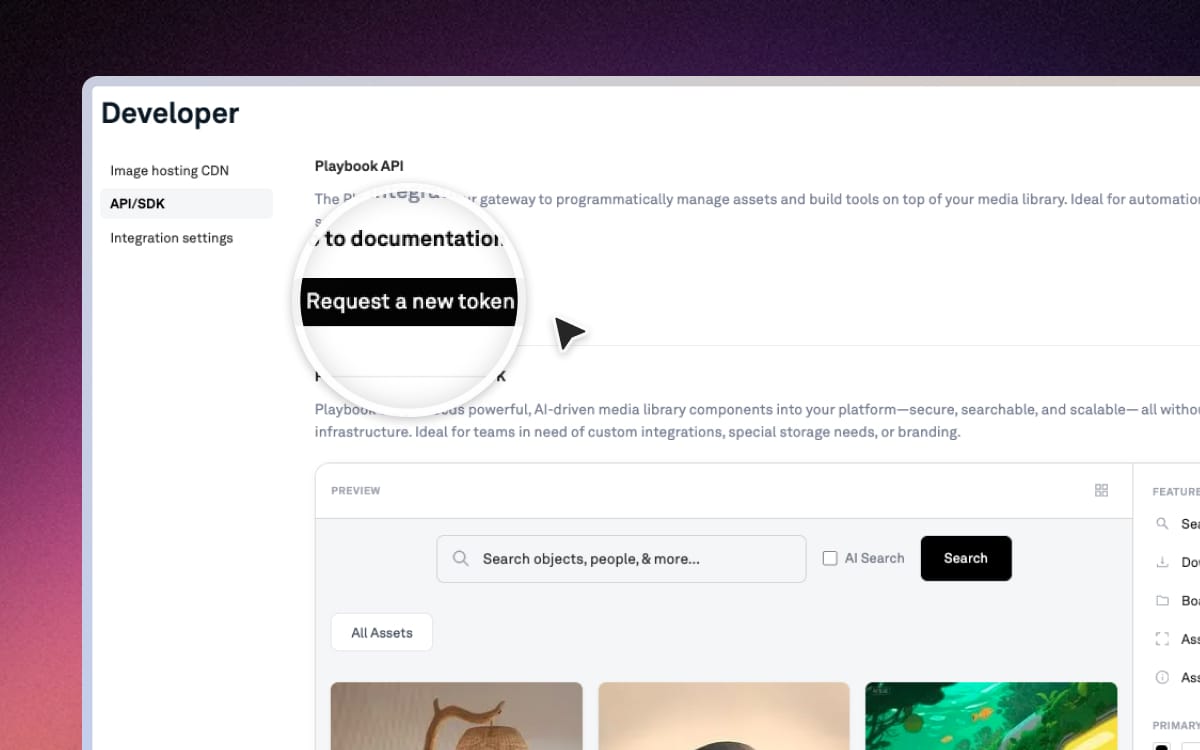
REST API
The Playbook REST API gives developers full programmatic access to their workspace, on Free, Pro, Team, Business and Enterprise plans.
You can use the API to build custom integrations, automate asset management, sync Playbook with internal tools, or pull data into your own dashboards and pipelines.
View the full API documentation →
MCP (Model Context Protocol)
MCP is an open standard that lets an AI assistant use a tool directly instead of guessing about it. Playbook runs an MCP server, so an agent can search your library, file things away and hand work back without you describing where anything lives.
Connect it
The connector URL is https://mcp.playbook.com. You authorize once, the first time you connect.
- Claude: Settings, then Connectors, then add a custom connector and paste the URL.
- ChatGPT: Settings, then Apps, then add a custom MCP. You may need Developer Mode switched on.
- Cursor: install Playbook from Cursor's MCP directory, or add the URL to
.cursor/mcp.json. - Anything else that speaks MCP works the same way, with the same URL.
What an agent can do
- Find things: natural-language and visual search, filtering by tag, status, custom field or file type, and reading assets and previews.
- Organize: create and update boards, move and copy assets between them.
- Label: set status, change tags, read and write custom fields, and approve assets in bulk.
- Version and review: add a version, list history, roll back, and read or leave comments.
- Share: share or publish a board and mint permalinks.
- Bring things in: upload straight from URLs.
- Remove: delete assets, boards and custom fields.
So an agent can be asked to tag last week's uploads, pull every approved hero shot for a campaign into a board and share it, or find the clip someone described from memory, and it does the whole errand rather than telling you where to click.
What to know before you connect
- It acts as you. The agent inherits your permissions exactly, and can do nothing in the workspace that you could not do yourself.
- Deleted assets and boards are recoverable. They go to trash like any other delete. Deleting a custom field is permanent, so be specific when you ask an agent to tidy up fields.
- Replacing a file keeps the original as a version you can roll back to, on plans with version history.
- Calls are metered. MCP requests count toward your workspace's monthly API allowance, which rises with your plan. See pricing for the current numbers.
- Your assets are not used to train models.